Take a look
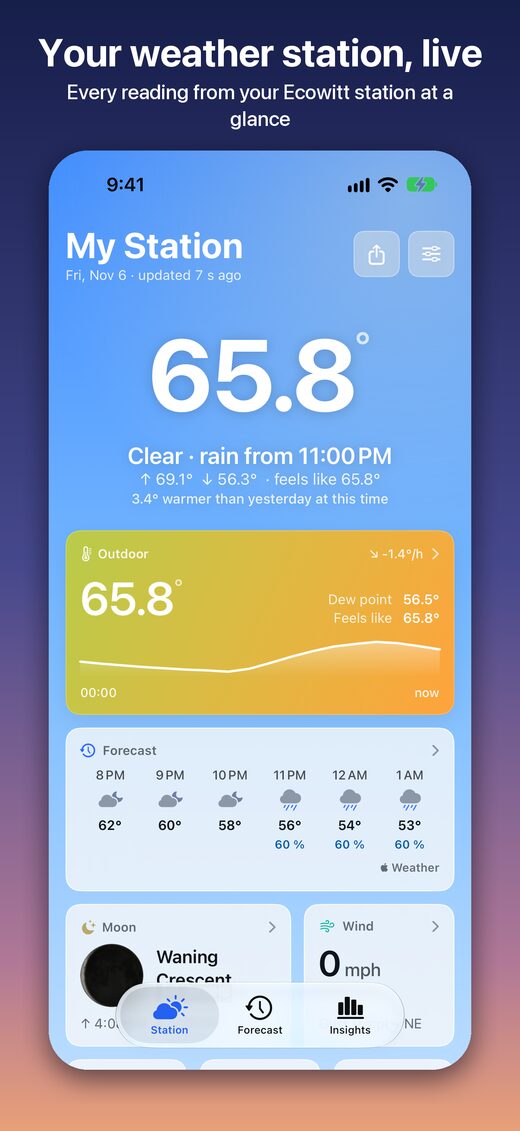
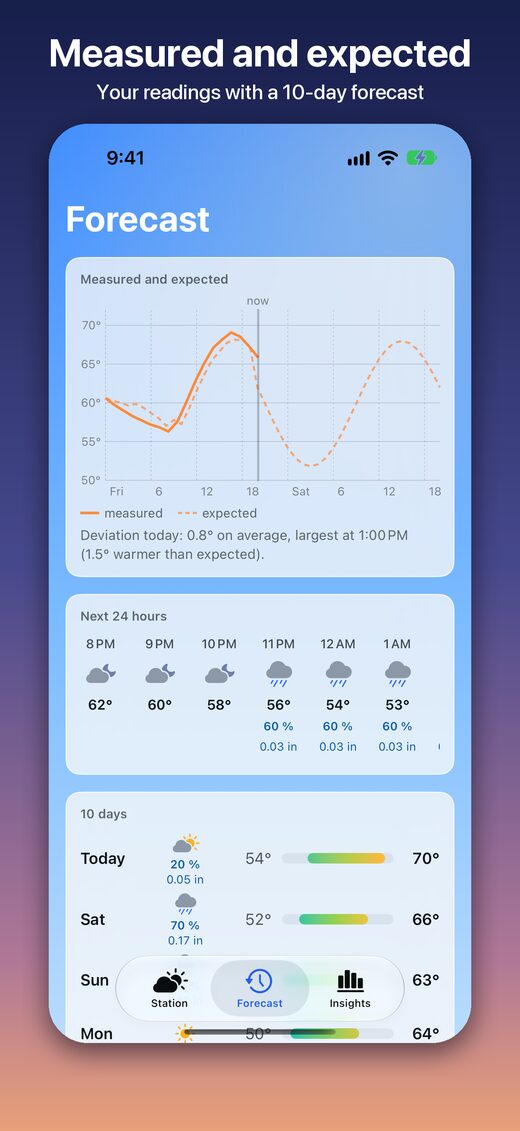
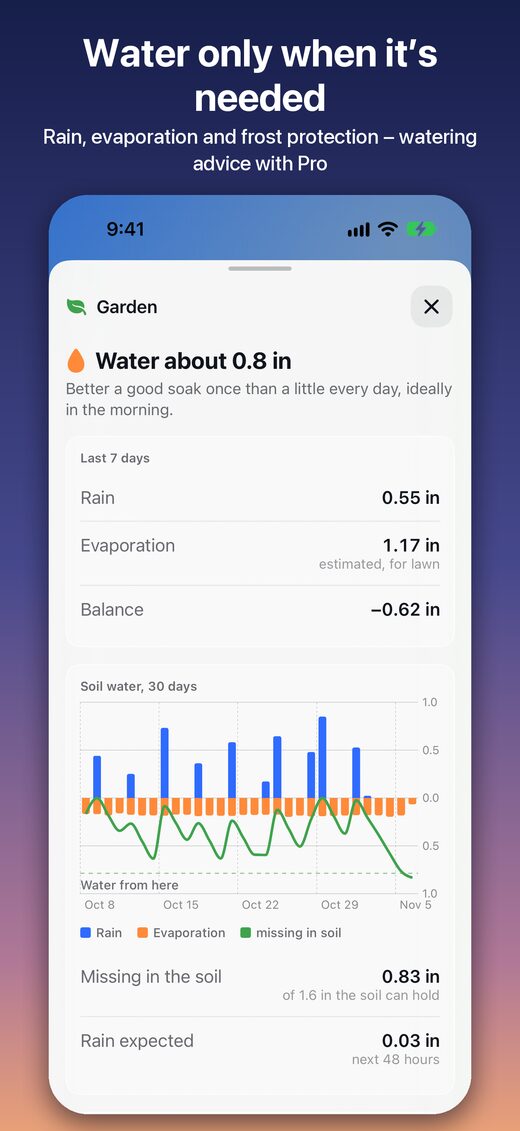
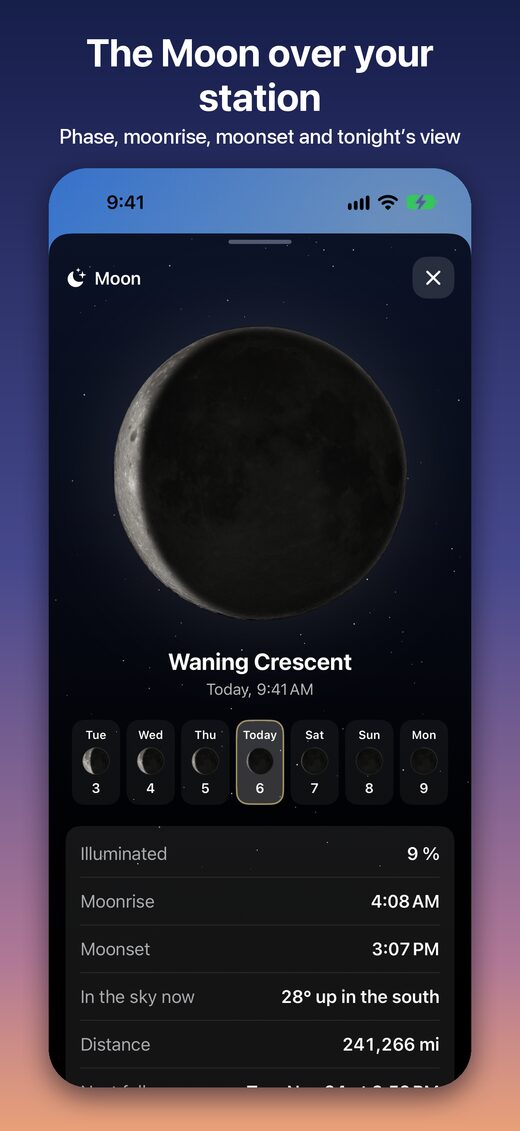
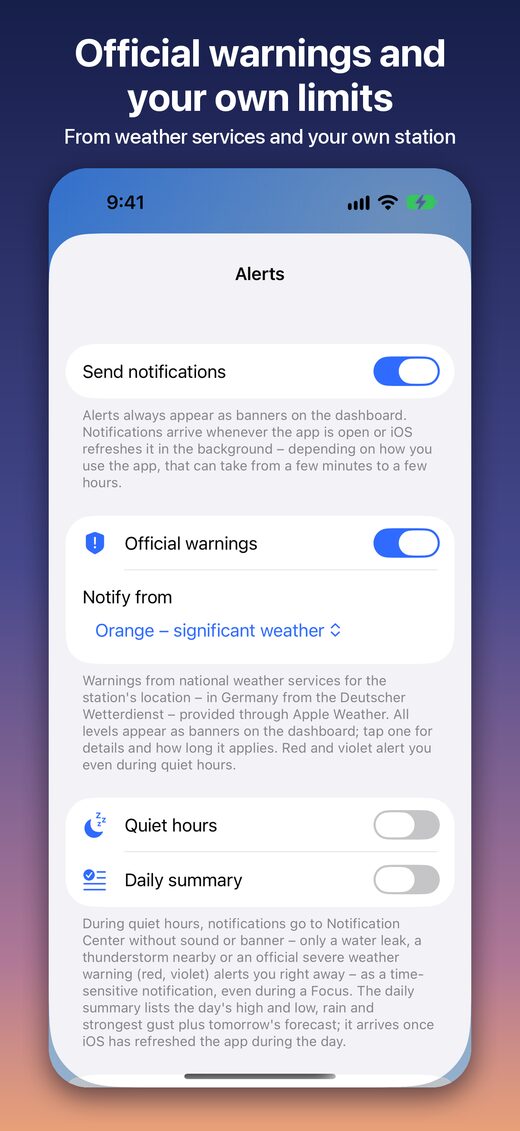
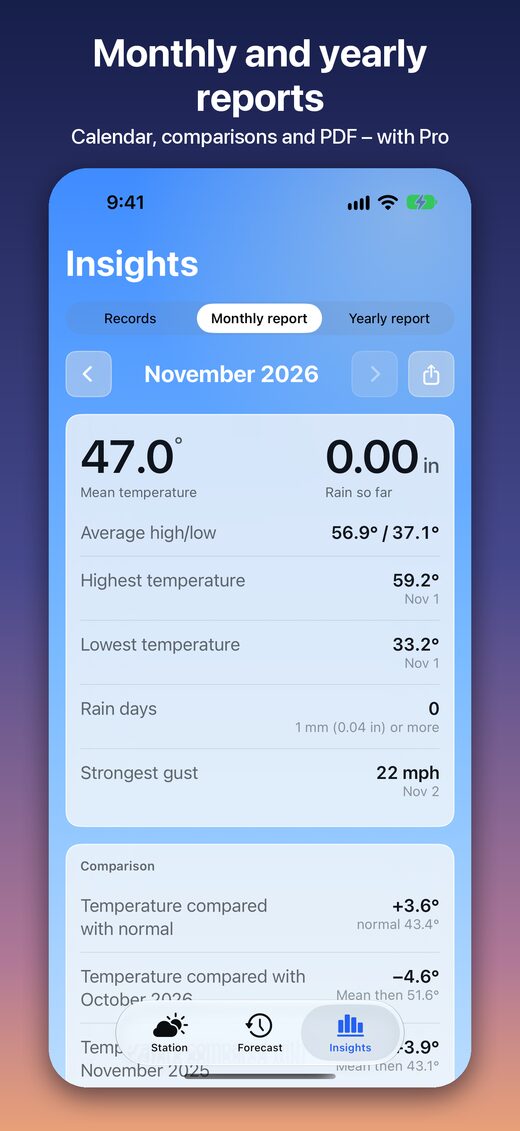
Overview, forecast, garden, moon, alerts and reports.
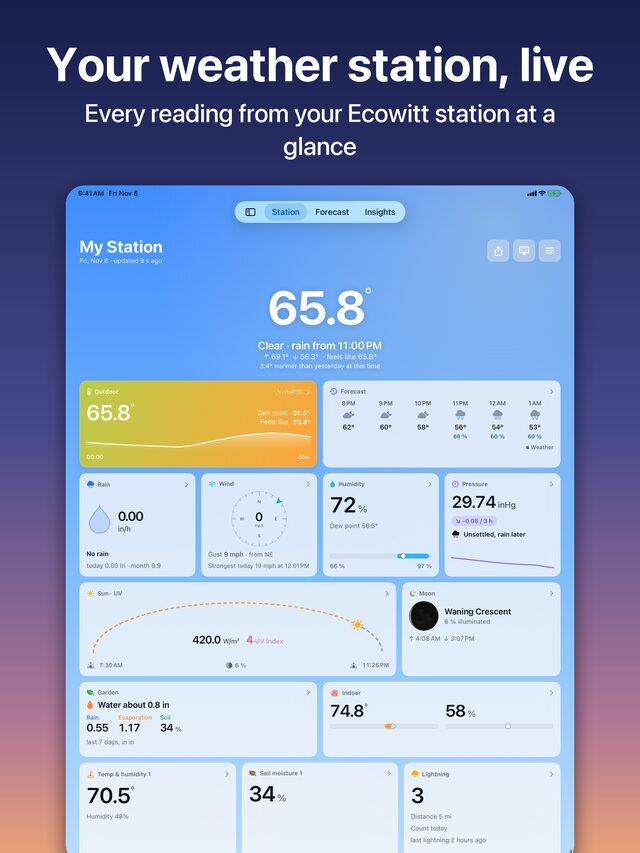
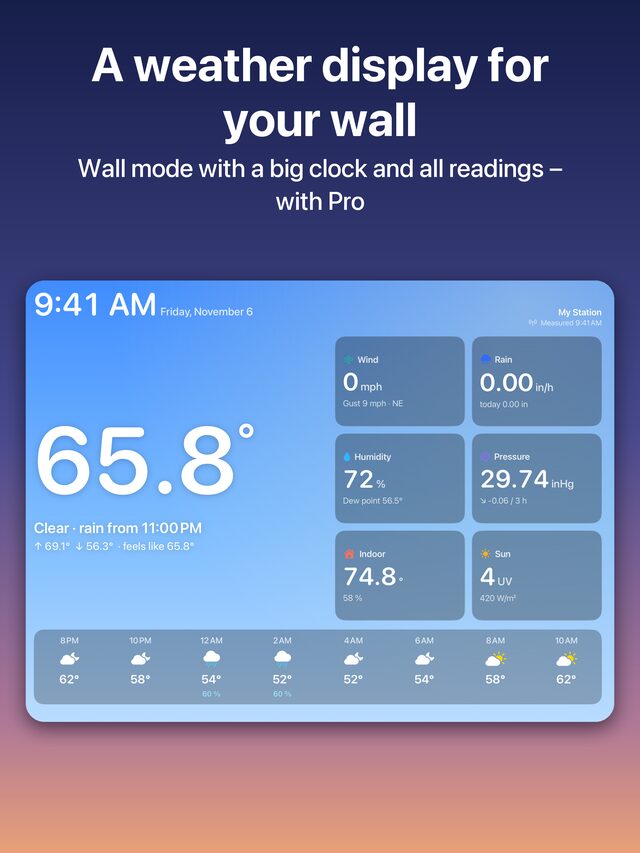
On iPad
The full dashboard on the big screen – including wall mode.
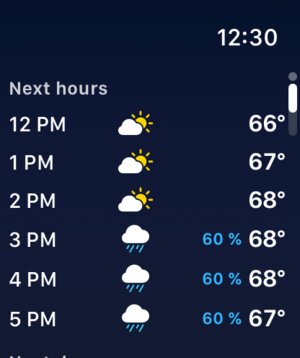
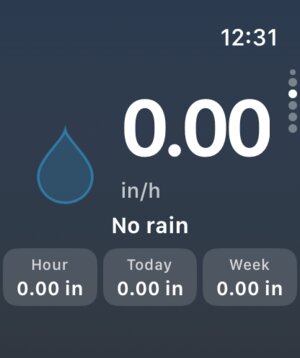
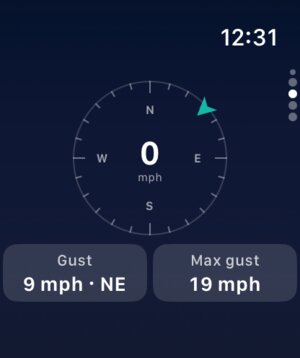
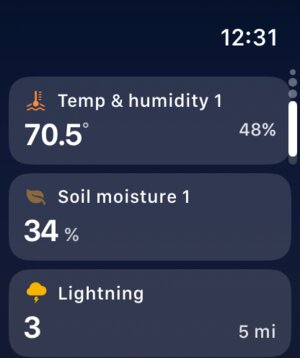
On Apple Watch
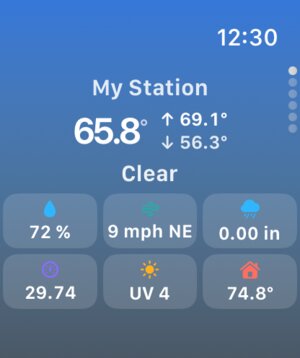
Your station on your wrist – with complications and Siri.
Features
All the essentials are free. Pro adds more.
Dashboard
- Temperature with today's curve, dew point and feels-like
- Rain rate and rainfall from hour to year
- Wind rose, gusts, pressure with trend
- Sun arc, UV index, moon phase
- Arrange tiles freely; light, dark or sky-colored
Extra sensors
- Detected automatically, each one gets its own tile
- Thermo-hygrometers, soil moisture, leaf wetness, particulates, CO₂, lightning and leak detectors
- A notice when a sensor goes quiet
Forecast
- Hourly for 24 hours, 10 days ahead
- Measured and expected across the day
- Rain amount and a heads-up for coming rain
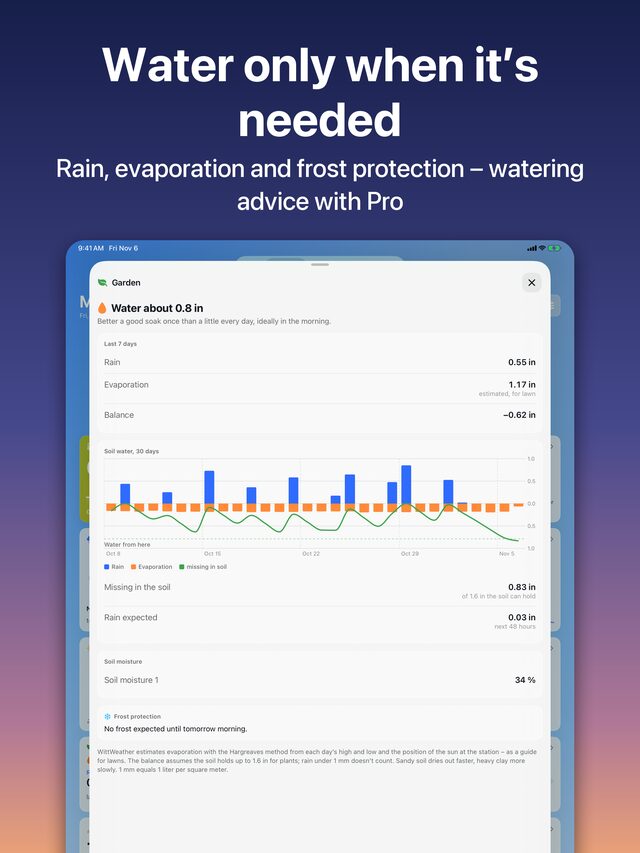
Garden
- Rain, estimated evaporation, soil moisture
- Frost warning for the coming night
History and records
- Charts for day, week, month and year, also full screen
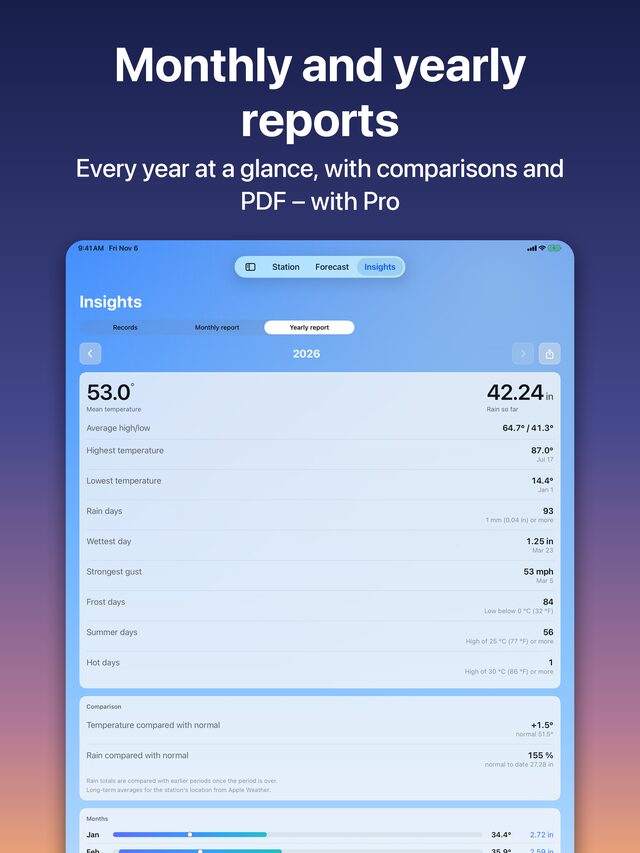
- Records, frost, summer and rain days
- Comparison with the long-term average
- CSV export for Excel or Numbers
Alerts
- Official warnings and your own thresholds
- Frost, heat, storm, heavy rain, rain start and stop, lightning
- Quiet hours for the night and a daily summary
Widgets, Watch and Siri
- Live Activity for rain, also in the Dynamic Island
- Widgets for Home and Lock Screen
- Apple Watch app with complications
- Siri and Shortcuts for every reading
Made for everyone
- VoiceOver, audio graphs, Dynamic Type
- Metric and imperial units
- English, German, French, Dutch, Italian, Spanish
Free and Pro
Start for free. Pro is a one-time purchase – no subscription.
| Feature | Free | Pro |
|---|---|---|
| Dashboard, tiles, themes and weather animation | ✓ | ✓ |
| Automatic extra sensors | ✓ | ✓ |
| Hourly and 10-day forecast | ✓ | ✓ |
| Garden: rain, evaporation, soil moisture, frost | ✓ | ✓ |
| Charts, records, CSV export | ✓ | ✓ |
| Alerts, Live Activity, widgets, Apple Watch, Siri | ✓ | ✓ |
| Multiple stations (also on Apple Watch) | – | ✓ |
| Compare sensors in one chart | – | ✓ |
| Widgets and complications for single sensors | – | ✓ |
| Monthly and yearly reports with PDF | – | ✓ |
| Monthly archive in the Files app | – | ✓ |
| Watering advice from 30-day water balance | – | ✓ |
| Custom thresholds for every extra sensor | – | ✓ |
| Wall mode and alternate app icons | – | ✓ |
Up and running in three steps
- On ecowitt.net, create an Application Key and an API Key under “User Profile”.
- Enter both keys in the app – it finds your station and sensors by itself.
- Done: your readings appear in the app, in widgets and on Apple Watch.
Your keys stay in your device's keychain. Without a station, the app shows sample data.
Compatible stations
Developed and tested with the Ecowitt Wittboy (WS90). Other Ecowitt stations and gateways (e.g. GW1100, GW1200, GW2000, GW3000) may work as well, as long as they send their data to ecowitt.net. Requirements: an internet connection and a free Ecowitt account; on Mac, an Apple silicon chip.
Questions and answers
The most common ones.
Which stations work?
WittWeather is developed and tested with the Ecowitt Wittboy (WS90). Other Ecowitt stations and gateways (e.g. GW1100, GW1200, GW2000, GW3000) may work as well, as long as they send their data to ecowitt.net.
Do I need an Ecowitt account?
Yes, a free account on ecowitt.net. You create an Application Key and an API Key there and enter them in the app. Without a station, the app shows sample data.
What does it cost?
The app is free, without ads. WittWeather Pro is a one-time purchase of €4.99 with a free 14-day trial. There is no subscription.
Is there an Apple Watch and a Mac version?
Yes. The Apple Watch app is included with complications; on Mac, an Apple silicon chip is required.
Where are my keys stored?
Only in your device's keychain, not synced via iCloud. The app sends them only to the Ecowitt API to fetch your readings.
A sensor shows “No signal” – why?
Usually the battery is empty or the radio link is disturbed. Ecowitt keeps a silent sensor going with its last value for about an hour; after that the app reports it.
Is WittWeather made by Ecowitt?
No. WittWeather is an independent app and is not affiliated with Ecowitt.